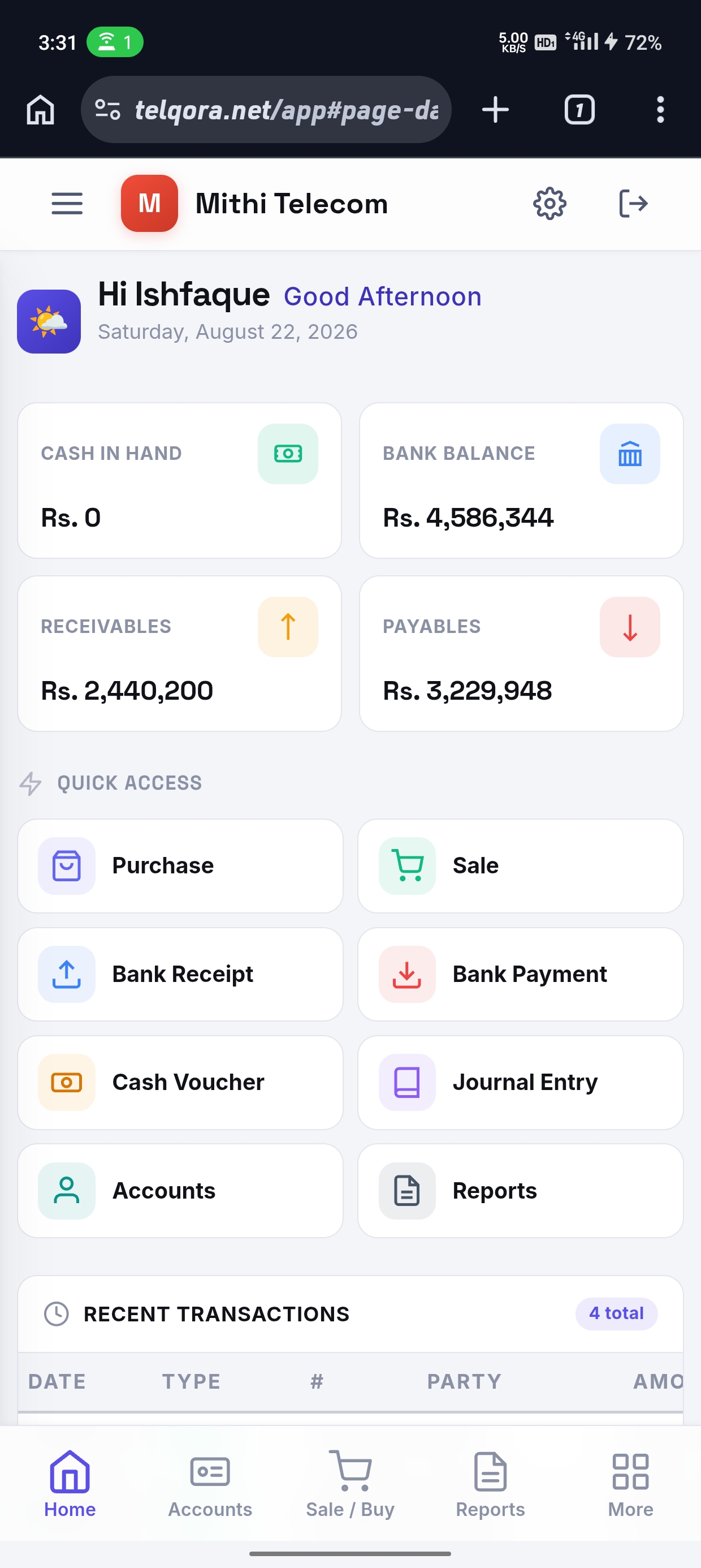
Dashboard
Quick Access
RSO Menu
| Date | Type | # | Party | Amount |
|---|---|---|---|---|
| Loading... | ||||
Cash in Hand
Account-wise cash balance breakdown
Loading...
Bank Balance
Account-wise bank balance breakdown
Loading...
Total Receivables
Customer-wise receivable breakdown
Loading...
Total Payables
Supplier-wise payable breakdown
Loading...
Sales/Purchase
Record purchases, sales, their returns, and manage items.
Accounts
Bank receipts and payments, cash voucher, journal entries, and account management.
Reports
Ledgers, stock, and the full set of financial statements.
RSO / Salesman
Manage RSO customers, sales, stock, recoveries, and reports.
SIM Operations
BVS devices, operator reports, commission, and activation tracking.
BVS Devices
Register biometric verification devices. 0 devices
| IMEI | Label | Assigned Customer | Actions |
|---|
Upload Operator Report
Upload operator Excel report to match activations by POS ID or IMEI.
Commission
Upload operator report → review activations → finalize → pay.
| Customer | RSO | POS ID | Activations | Rate (Rs.) | Amount | Status |
|---|
Issued vs Activated
Compare SIMs issued to customers against operator-reported activations.
| Customer | POS ID | Issued | Activated | Unactivated | Rate % | RSO |
|---|
Utility
Users, permissions, activity history, backups, and settings.
Accounts
Every customer, supplier, bank, and ledger head lives here.
| Code | Title | Type | Mobile | City | Opening Bal. |
|---|
New Account
Fill in the details below and save.
Items
Your product catalog. Stock quantity builds only from Purchase, Sale, and their returns — never from an opening entry here.
| Item Name | Category | Unit | Purchase Price | Sale Price | Tax % |
|---|
New Item
Fill in the details below and save.
Users
People who can log in, and what happens to their access when they leave.
| Full Name | Username | Status |
|---|
New User
Set up login credentials and role.
User Rights
Set broad access fast up top, then fine-tune every screen below.
Allow entry/modification in Invoices and Vouchers only for the previous days.
- Entering 0 allows entry/modification only in today's Invoices and Vouchers.
- Entering -1 disables this restriction — any date can be entered or modified.
Purchase
Load and/or items bought in — post the supplier's bill here.
| Invoice No. | Date | Supplier | Load Qty | Grand Total | Balance | Entered By |
|---|
Purchase Return
Load and/or items sent back to a supplier.
| Invoice No. | Date | Supplier | Load Qty | Grand Total | Balance | Entered By |
|---|
Sale
Load and/or items sold out — to a Customer or billed to an RSO.
| Invoice No. | Date | Party | Load Qty | Grand Total | Balance | Entered By |
|---|
Sale Return
Load and/or items returned by a Customer or RSO.
| Invoice No. | Date | Party | Load Qty | Grand Total | Balance | Entered By |
|---|
Bank Receipt
Money coming in against any account — settling an old balance, a deposit, anything not tied to a Sale invoice.
| Voucher No. | Date | Bank/Cash A/c | Party | Amount | Entered By |
|---|
Bank Payment
Money going out against any account — paying down a supplier balance, anything not tied to a Purchase invoice.
| Voucher No. | Date | Bank/Cash A/c | Party | Amount | Entered By |
|---|
New Bank Receipt
Record bank receipts, payments, and contra entries.
Cash Voucher
Small day-to-day cash expenses — tea, transport, stationery — several in one voucher.
| Voucher No. | Date | Cash A/c | Lines | Total | Entered By |
|---|
New Cash Voucher
Small day-to-day cash expenses — several in one voucher.
Journal Voucher
Manual Dr/Cr entries between any accounts — corrections, adjustments, missed opening entries.
| Voucher No. | Date | Narration | Lines | Total | Entered By |
|---|
New Journal Voucher
Manual Dr/Cr entries between any accounts.
Chart of Accounts
Every account, grouped by type, with its current balance.
| Code | Type | Title | Mobile | City | Closing Balance |
|---|
Account Ledger
Every entry posted to one account, with a running balance.
| Date | Voucher No. | Particulars | Debit | Credit | Balance |
|---|
Load Ledger
Pure quantity movement of Load — every Purchase, Sale, and Return, no currency involved.
| Date | Type | Ref | Note | Qty In | Qty Out | Balance | Amount |
|---|
Item Ledger
Stock movement for one item, with a running quantity balance.
| Date | Type | Ref | Qty In | Qty Out | Balance |
|---|
Stock Report
Opening, received, issued and closing stock for every item over a chosen period.
| Item Name | Category | Opening | In | Out | Closing | Stock Value |
|---|
Cash Book
Every entry posted to a Cash or Bank account, with a running balance.
| Date | Voucher No. | Particulars | Debit | Credit | Balance |
|---|
Sale Invoices Report
Every Sale invoice, filterable by date.
| Invoice No. | Date | Party | Load Qty | Grand Total | Balance |
|---|
Purchase Invoices Report
Every Purchase invoice, filterable by date.
| Invoice No. | Date | Supplier | Load Qty | Grand Total | Balance |
|---|
Trial Balance
Every account's balance as of a chosen date — Debit and Credit totals should match.
| Account | Type | Debit | Credit |
|---|
Balance Sheet
What the business owns, owes, and is worth, as of a chosen date.
Assets
Liabilities
Renew Your Subscription
Keep your books, reports and users exactly as they are — renewing only extends your access.
Choose a plan
What stays included
- All your existing accounts, items, invoices and vouchers
- Every report, plus PDF, Excel and print exports
- Unlimited staff users with their own permissions
- Automatic backups and full edit history
How to pay
Transfer the amount to the account below, then send us the receipt screenshot. Your subscription is extended as soon as the payment is confirmed.
Profit & Loss Graph
How trading profit, other income and expenses combined into your result, month by month.
Monthly breakdown
Composition
| Month | Gross Profit | Other Income | Expenses | Net Profit |
|---|
Income & Expense Graph
What came in against what went out, month by month, and which heads your spending goes to.
Income vs Expense
Top expense heads
| Month | Income | Expense | Net |
|---|
Profit on Sale
Trading margin over a period — Load and Items broken out separately.
Trading Margin
Profit & Loss
Trading profit plus other income, minus operating expenses, over a period.
Trading Account
Operating Expenses
Edit History
Every record created, changed, or removed — who did it, when, and exactly which values changed.
Not built yet
This screen comes later — we're building Telqora module by module. Management is up first.
Data Integrity Check
Scans your books for orphaned ledger entries, Dr/Cr imbalances, and unbalanced journal vouchers.
Click "Re-scan" to check your data.
Backup Data
Everything currently lives in this browser only — download a backup regularly so nothing is lost if the browser data is ever cleared.
Download a backup
Saves everything — accounts, items, users, invoices, vouchers, and every ledger — into one file you can keep safe or hand to another device.
Restore from a backup
⚠️ This replaces everything currently in Telqora with what's in the file. There's no undo — download a fresh backup first if you're unsure.
Change Password
Update your own login password.
Signed in as —
RSO Customers
Shops and markets assigned to RSOs.
| Code | Customer / Shop | Mobile | Area | Credit Limit | Balance | RSO |
|---|
New Customer
Add or edit an RSO customer profile.
Issue Stock to RSO
Admin issues inventory loads to RSOs for field distribution.
| Number | Date | RSO | Items | Total |
|---|
Issue Stock to RSO
Issue inventory loads to RSOs for field distribution.
RSO Sales
Sales made by RSOs to their assigned customers.
| Number | Date | Customer | Items | Total | Paid |
|---|
RSO Returns
Sales returns from RSO customers.
| Number | Date | Customer | Items | Total |
|---|
RSO Recoveries
Payment collections from RSO customers.
| Date | Customer | Amount | Mode | Note |
|---|
New Recovery
Record cash recovered from RSO customers.
RSO Cash Deposits
Cash deposited by RSOs to the company.
| Date | RSO | Bank/Cash | Amount | Note |
|---|
New Deposit
Record cash deposited by RSOs to the company.
RSO Opening Stock
Set the stock an RSO already holds before the system started. No accounting entries are created.
RSO Stock Tracking
Current stock balance for each RSO — issued minus sold minus returned.
RSO Load Ledger
Stock in/out from RSO loads, sales, and returns.
| Date | Type | Ref | Detail | In | Out | Balance |
|---|
RSO Item Ledger
Per-item stock movement from RSO loads, sales, and returns.
| Date | Type | Ref | Note | Qty In | Qty Out | Balance |
|---|
Customer Ledger
Transaction history for an RSO customer.
Select a customer to view their ledger.
Customer Outstanding
Balances owed by RSO customers.
RSO Stock Report
Current stock held by an RSO.
Select an RSO to view stock.
RSO Sales Report
Sales transactions by RSO.
RSO Recovery Report
Cash recoveries collected by RSO.
Daily Sales Summary
All RSO sales for a given date.
Settings
This is what makes each company's copy of the software its own.
Signed in as —
Account Status
Company Profile
Preferences
Backups
Automatic daily backups run at 2:00 AM. Last 7 days are kept (one per day of the week).
Financial Years
Manage accounting periods. Close a year to carry forward balances and start fresh.
| Financial Year | Start Date | End Date | Status |
|---|
Add Financial Year Manually
Use this to create a year without closing the previous one (e.g., when setting up historical years).
Load Data
Import master data from Excel files to set up your franchise.